
Hyper-V Private Cloud
Migrating hypervisors may not have been on the 2026 vision board, but neither was a 400% increase in virtualization costs.
If you’re staring down an unexpected hypervisor migration, you’re in the right place. Our team will provide an expert migration of Hyper-V Private Cloud for free.
Migrate for FreeWhat is Hyper-V Private Cloud?
Summit’s Hyper-V Private Cloud is a fully managed private cloud built on Microsoft Hyper-V. Summit operates the Hyper-V platform, host hardware, network, and storage, and handles patching, monitoring, and day-to-day operations to keep your environment stable. You manage your applications and guest operating systems.
If you’re coming from VMware or another platform, we can manage the migration for you at no cost. Once you’re live, we take ongoing platform management off your plate so your team can focus on higher-value work.
The result is a Microsoft-aligned private cloud with stability you can count on and support you can actually reach.
Migrate for Free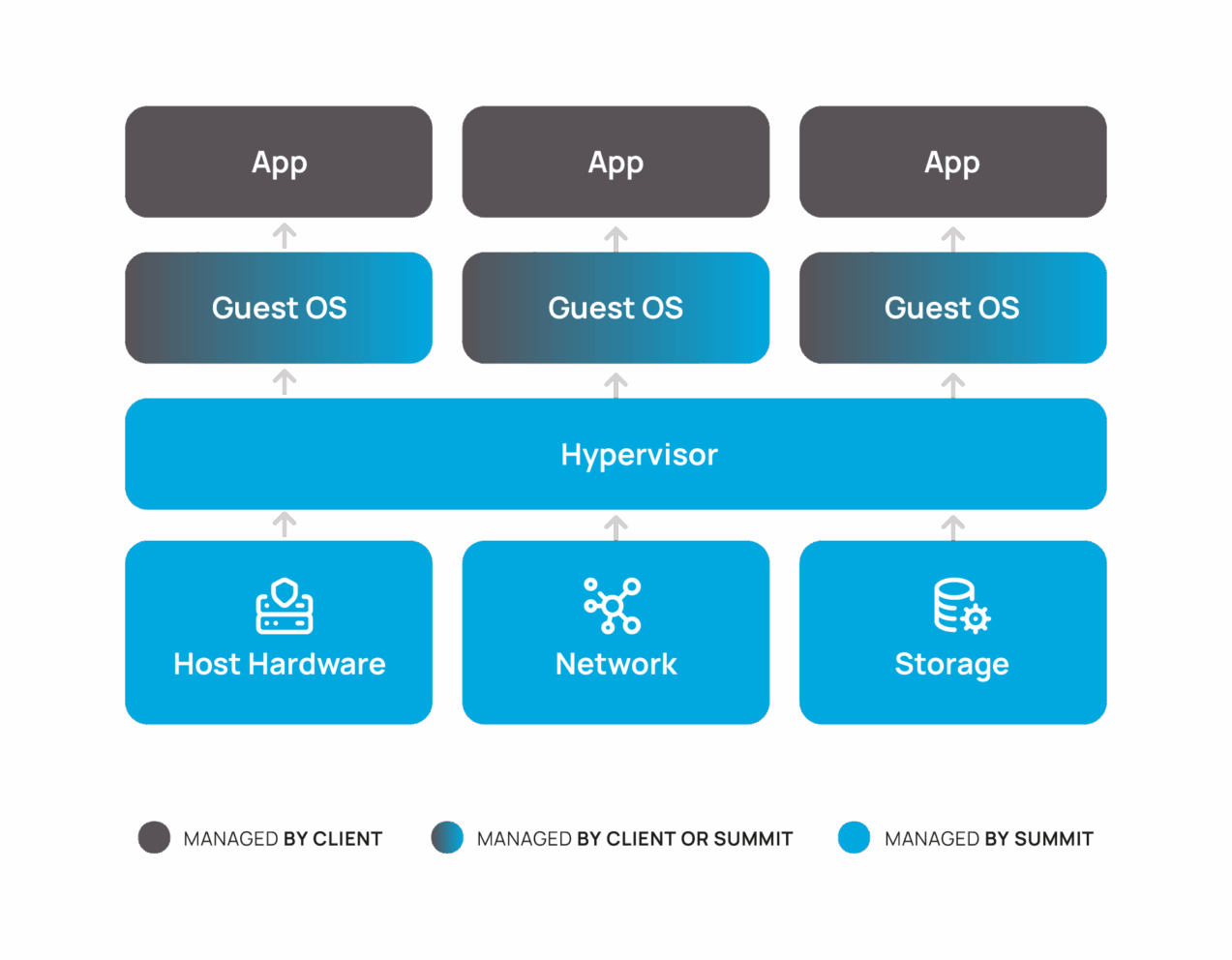
Hyper-V Private Cloud is ideal for:
Teams that need reliable, cost-effective virtualization without the VMware price tag.
Teams exiting VMware that want to avoid another gamble
VMware pricing and licensing keep changing. Budgets can’t keep up. Hyper-V offers a proven, big-name hypervisor with predictable costs and long-term viability.
Teams that know private cloud is the answer but don’t want to pick wrong
You’ve decided private cloud makes sense, you just don’t want to lock into a platform that creates more problems than it solves.
Teams using Azure that need to add private cloud
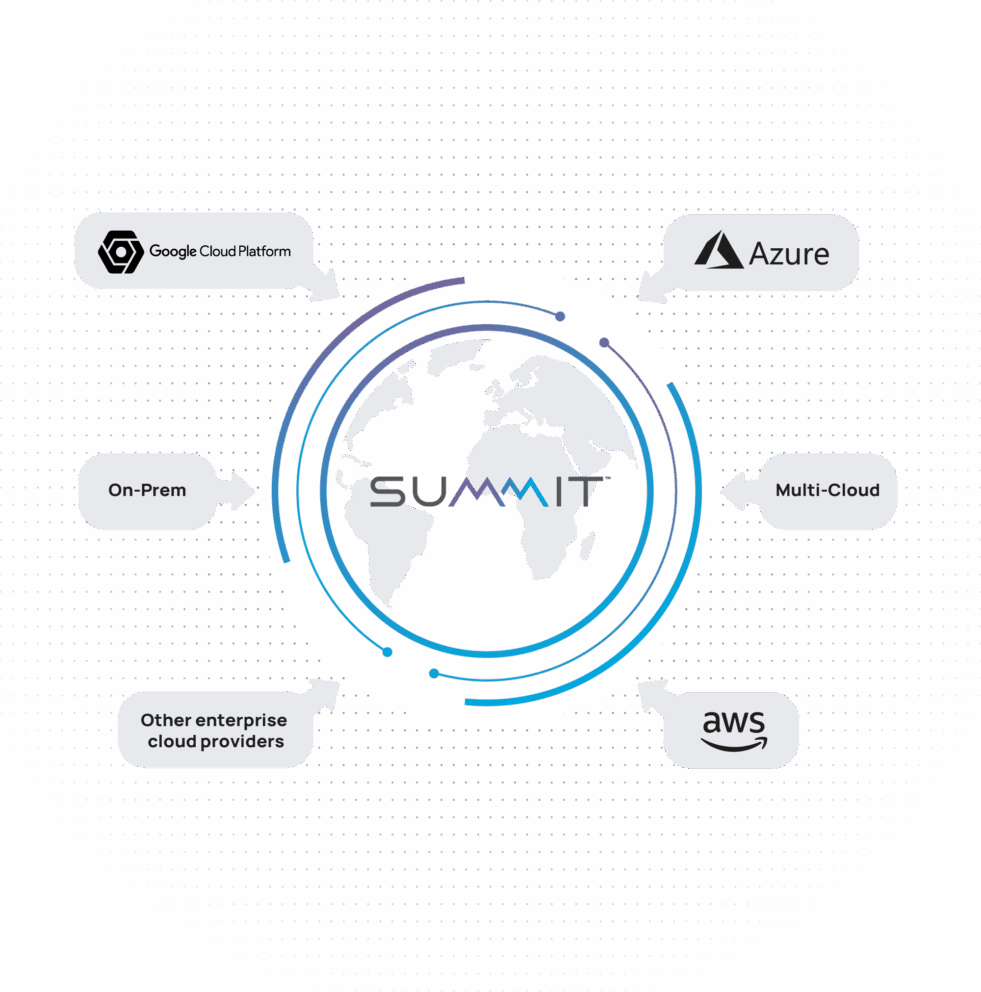
With Hyper-V and Azure Arc, you can manage your private and public workloads from one centralized source without managing two disconnected worlds.
Get a free migration that improves things, not just moves them
If you’re considering migrating to a Hyper-V environment, there’s a good chance it’s because you want stability. Stable pricing. Predictable product roadmaps. No changes in ownership that throw everything into question.
But moving to Hyper-V shouldn’t feel like a forced march. It should feel like an upgrade.
Our approach focuses on stability first, then optimization. We help you migrate off legacy platforms while cleaning up inefficiencies, rightsizing resources, and eliminating unnecessary overhead along the way.
Migrate for FreeVMware to Hyper-V Migration in 6 Steps
This isn’t a lift-and-pray migration. Our process is production-tested, non-disruptive, and designed to keep downtime predictable.
Prepare the Destination
Configure the Hyper-V environment and storage so it’s ready to receive workloads.
Connect Environments
Establish secure connectivity between VMware and Hyper-V for backup and data transfer.
Validate Source VMs
Confirm each virtual machine is healthy, consistent, and ready for backup.
Seed Data with Backups
Use Veeam to create non-disruptive backups and replicate data to the new environment.
Test Before Cutover
Restore and validate workloads in Hyper-V before anything goes live.
Execute Controlled Cutover
Power down VMware VMs, complete the restore, and bring workloads online in Hyper-V with a predictable downtime window.
Everything managed, nothing left out
Who manages what in your Hyper-V Private Cloud:
You define how your workloads should behave, and we’ll manage the platform that keeps them running.
Save over 50% on virtualization licensing
Same workloads. Significantly lower licensing costs by using Hyper-V as your virtualization platform.
| VMware + Windows | VMware Only | Windows Only (Hyper-V) | |
|---|---|---|---|
| Assumptions | |||
| # of Nodes | 3 | 3 | 3 |
| Cores per Node | 48 | 48 | 48 |
| Total Cores | 144 | 144 | 144 |
| 1-Year Licensing Comparison | |||
| VMware License | $4,320 | $4,320 | N/A |
| Windows License | $3,636 | N/A | $3,636 |
| Total License | $7,956 | $4,320 | $3,636 Save 54.30% |
We’ve been a long time customer, so we’re well aware of Summit’s capabilities. In this project, the unique aspect was our flexibility in options. We were able to use a mix of owned hardware, managed cabinets, managed hardware, and managed cloud to pull off the best fit for the product and migration. This is something we had trouble doing with both of the larger cloud providers.
ActiveCampaign
Why choose Summit for Hyper-V Private Cloud?
Running Hyper-V well requires more than spinning up hosts. It requires operational discipline and real experience.
Deep Microsoft alignment — we understand how Hyper-V fits into broader Windows and Azure ecosystems
Built for steady-state production workloads that value uptime, consistency, and predictable performance
Supported by hands-on, 24/7 engineers who actually run the platform — not a ticketing system reading from a script
Operating production infrastructure since the 1990s — experience you can feel in how the platform runs
Meet HIPAA and PCI DSS standards via Summit’s SOC 2 audit
Deploy workloads across multiple Summit data centers for geo-redundancy
Datasheet
Hyper-V Private Cloud
Specs, SLAs, and everything included — in one page.
Common questions about Hyper-V Private Cloud
If you’re considering a move to Hyper-V, you’re probably balancing cost, risk, and long-term viability. These are the questions we hear most often.
Start your migration
Talk with our team to migrate to Hyper-V Private Cloud for free.