summit daas

Sage Hosting

Securely access your financial software from home, at work, or on the road.

Use your financial software from wherever you are.

Try Sage Hosting Free for 30 Days
Sage Cloud Hosting | Summit
Supported Sage Software

Sage Applications We Host

Here are some of the most common Sage apps we host in the cloud for our clients.

Sage 50
Sage 100
Sage 100 Contractor
Sage 300
Sage 500
Sage X3
Sage CRM
Sage Fixed Assets
Sage HRMS
Sage Cloud Hosting

Use Sage from your couch, your car, your office, or anywhere with WiFi.

Get secure access to your accounting, payroll, and inventory data from wherever you are — on any device, any OS, any location worldwide.

End-to-End Security Encryption, MFA, daily backups, and 24/7 monitoring keep your data protected.
Fully Customizable Any database size, any number of users, any add-ons — built to fit your business.
Cross-Platform Access Connect from Windows, Mac, or Linux — at the office, at home, or on the go.
Sage app screen
How It’s Delivered

Two ways to access Sage in the cloud.

Summit gives you flexibility in how you work. Whether you want the full power of a remote desktop or a simpler one-click launch, we have an option that fits the way your team operates.
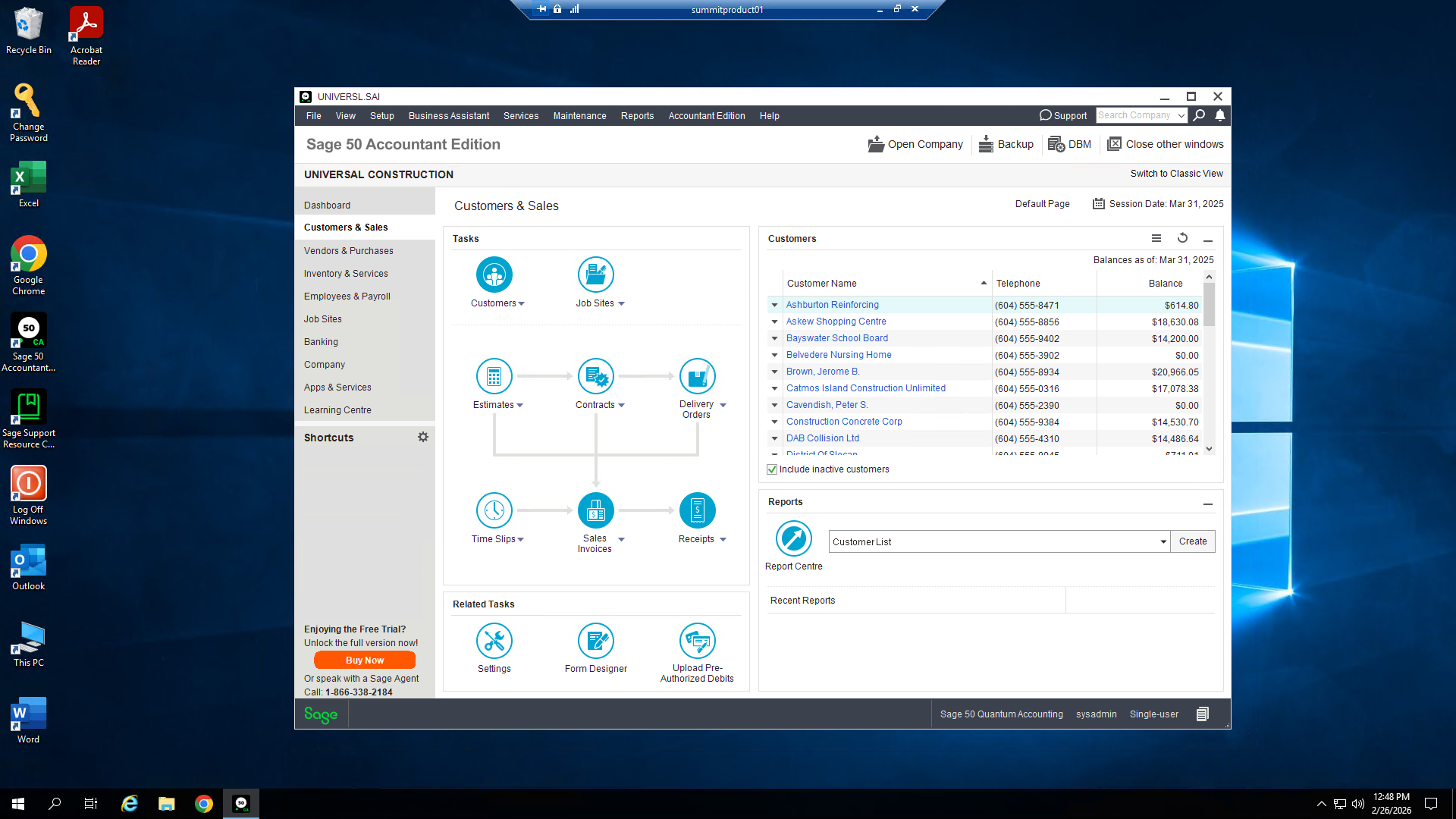
Full remote desktop — Sage running in a hosted cloud desktop
Log into a secure remote desktop and work in Sage exactly as you always have, now hosted in the cloud.

Full Remote Desktop

Log into a full Windows remote desktop hosted in Summit’s secure cloud. Navigate, manage files, and launch Sage exactly as you would on a local machine — with complete desktop flexibility.

Best for Power users who want full desktop access, file management, and flexibility across multiple applications.
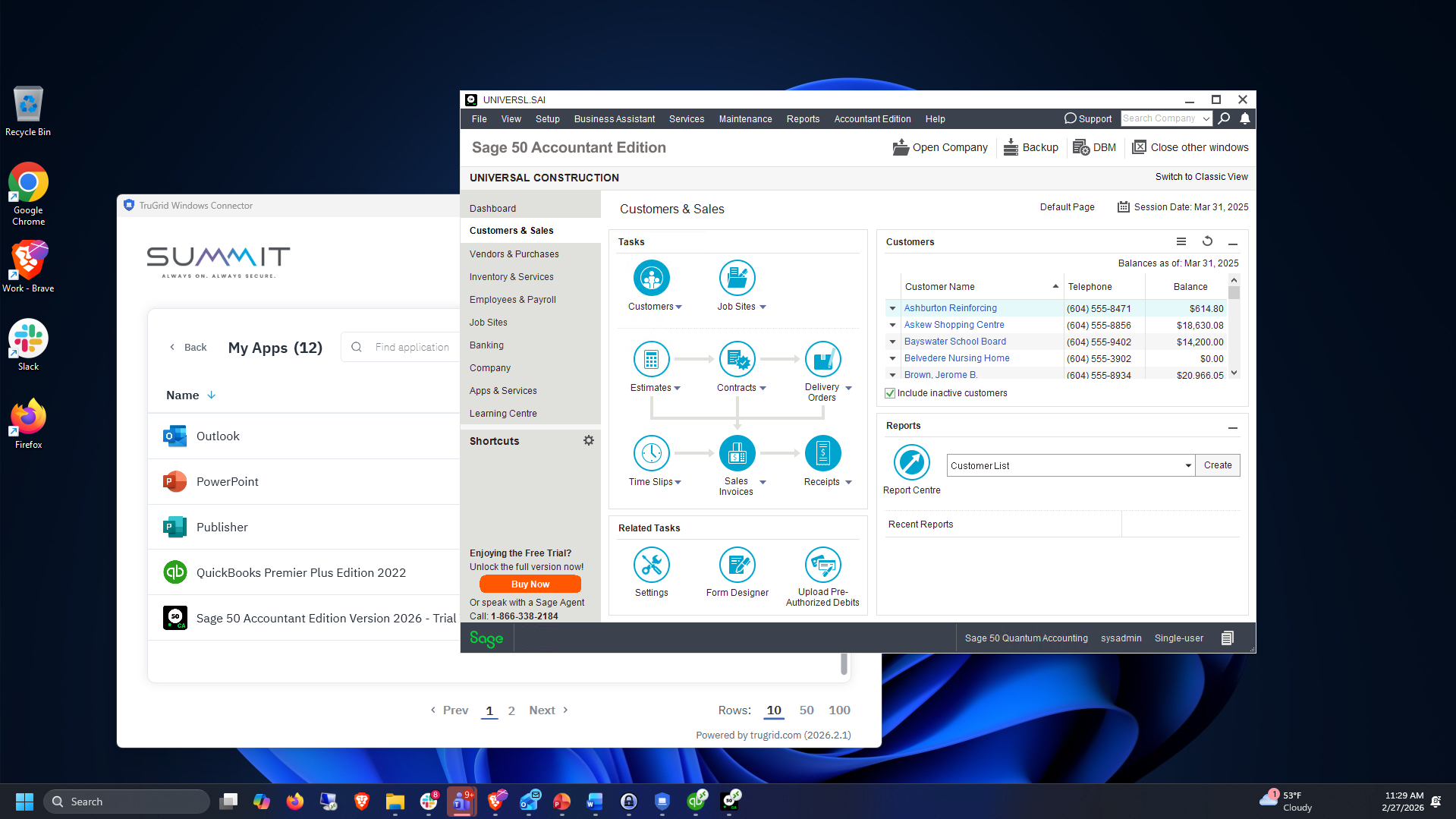
One-click Sage app launch
Click the app icon and Sage launches instantly on your local desktop — powered by Summit’s cloud behind the scenes.

One-Click App Launch

Click an icon and Sage opens directly on your local desktop — no remote desktop login, no navigation. It runs from Summit’s servers but feels completely native, like any app on your computer.

Best for Users who want simplicity — get straight into Sage in one click, no technical experience needed.
What’s Included

Sage runs better on Summit.

Everything you need is already built in.

Supported Versions

Host the full suite of Sage products on a single, unified platform.

Data Security

Enterprise-grade protection at every layer of your environment, including end-to-end encryption, multi-factor authentication, daily automated backups, 24/7 system monitoring, and ransomware recovery.

Fully Customizable

No rigid packages. Scale your environment to exactly what your business needs — any database size, any number of users, any add-ons.

Cross-Platform Compatibility

Connect from Windows, Mac, or Linux — Sage works natively across all major operating systems when hosted on Summit’s cloud.

Remote Access

Work from any device, from any operating system, from any location worldwide. Your Sage environment travels with you.

24/7 Support

Sage experts available around the clock via phone, portal, and email. Immediate troubleshooting plus early access to new features and updates.

Tired of seeing Sage errors? With Summit, you don’t have to.

Those “Another user is currently in this task” errors, unresponsive sessions, and locked files go away when you move Sage to Summit’s cloud. Summit also includes an auto-logoff function so files don’t get locked when users leave Sage open.

Simple onboarding

Up and Running in 3 Easy Steps

No big IT project. No complicated migration. Go live within 24 hours.

1

Tell Us How You Use Sage

We scope your environment in a free consultation.

2

We Handle the Migration

Our team migrates your data to our secure platform so you don’t have to.

3

Work From Anywhere, Instantly

Log in from any device, anywhere. Your team picks up right where they left off.

Happy Customers

Trusted by 30,000+ monthly users.

Best Western
Ace Hardware
Sweetgreen
IKEA

With Summit, all those pesky Sage errors and issues go away. Summit also has an auto-logoff function so that files don’t get locked when users leave Sage open on the local network. Sage works better when you outsource the server hosting to Summit.

JD
John Dierkhising
Owner, Bottomline Accounting Services, LLC
FAQ

Common Questions

Everything you need to know before getting started.

The 30-day free trial gives you full access to your hosted Sage environment — same setup, same performance, same support as a paid account. No credit card required. If you decide to continue, you just stay on. If not, your data is returned to you.

Most customers are live within 24 hours of signing up. Summit handles the entire migration — we move your Sage data, configure the environment, and verify everything is working before you log in for the first time.

We host Sage 50, Sage 100, Sage 100 Contractor, Sage 300, Sage 500, Sage X3, Sage CRM, Sage Fixed Assets, and Sage HRMS. If you’re running a version not listed here, contact us — we likely support it.

Yes. Summit’s hosted environment supports any number of concurrent users. We configure your environment to match your team size, and scaling up is straightforward if you add users later. The auto-logoff feature also prevents file-locking issues that are common on local networks.

Your Sage environment is protected by end-to-end encryption, multi-factor authentication, daily automated backups, and 24/7 system monitoring. Summit’s data centers are SOC 2 compliant and built to enterprise security standards — your financial data is safer in Summit’s cloud than on a local server.

Any device with an internet connection — Windows PC, Mac, Linux, tablet, or phone. Sage works natively across all major operating systems when hosted on Summit’s cloud, so your team isn’t tied to a specific machine or location.

Get Started

Start Your 30-Day Free Trial

Complete the form below and we’ll get your Sage environment up and running — free for 30 days.